On-device qualitative research
Transcribe, translate and analyse your research on your own computer.
SrutiAI turns interviews in eight languages into transcripts and English translations you can check line by line against the audio. Then it guides your qualitative data analysis (QDA) from codes to findings, across recordings, field notes, diaries, survey responses and briefs. Your data never reaches our servers.
8-day trial with 180 minutes of audio. Cancel before it ends and pay nothing.
- বাংলা
- English
- Français
- Deutsch
- Bahasa Indonesia
- Italiano
- Português
- Español
On your computer.
Transcription, translation and analysis run on your machine.
Checkable.
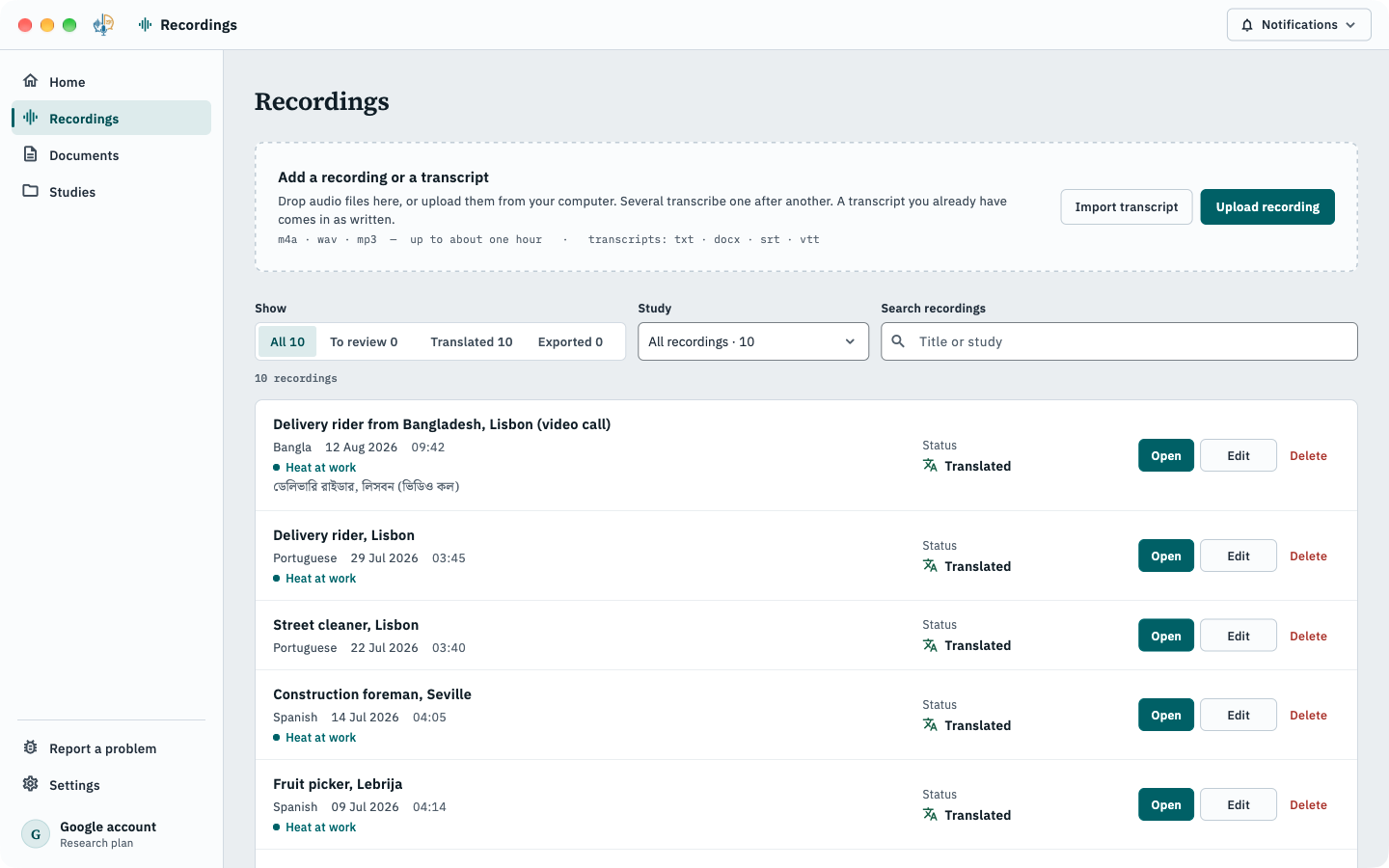
A log of every request the app makes, in Privacy & data.
Yours to keep.
Nothing is deleted if a plan ends; everything exports.
Open formats.
Word, CSV and REFI-QDA for NVivo, ATLAS.ti and MAXQDA.
QDA · Research plan
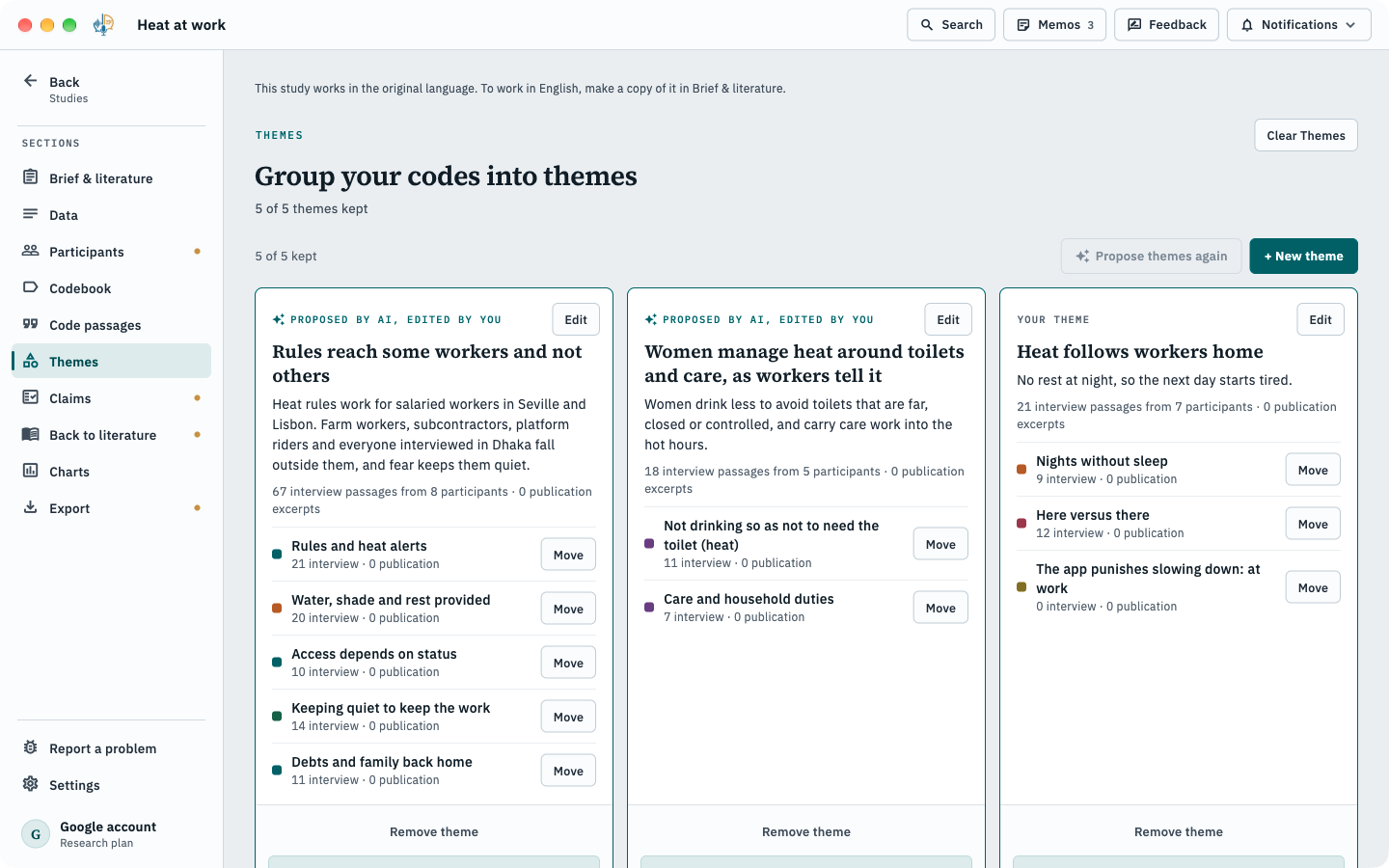
From interviews to findings, with you deciding.
Ten sections take you from your research questions and papers to codes, themes, claims and a findings report. AI drafts each step and shows the passages behind every suggestion. You keep, change or drop it.
- Brief & literature
- Codebook
- Code passages
- Themes
- Claims
- Contradictions
- Charts
- REFI-QDA export
Opens in NVivo, ATLAS.ti and MAXQDA.
Explore guided analysis →How it works
From recording to report, in four moves.
- 01
Choose your languages.
The app downloads only the models you need and tells you the size first.
- 02
Add a recording.
m4a, wav or mp3 from any phone or recorder, up to about an hour. Or bring a transcript you already have.
- 03
Check and correct.
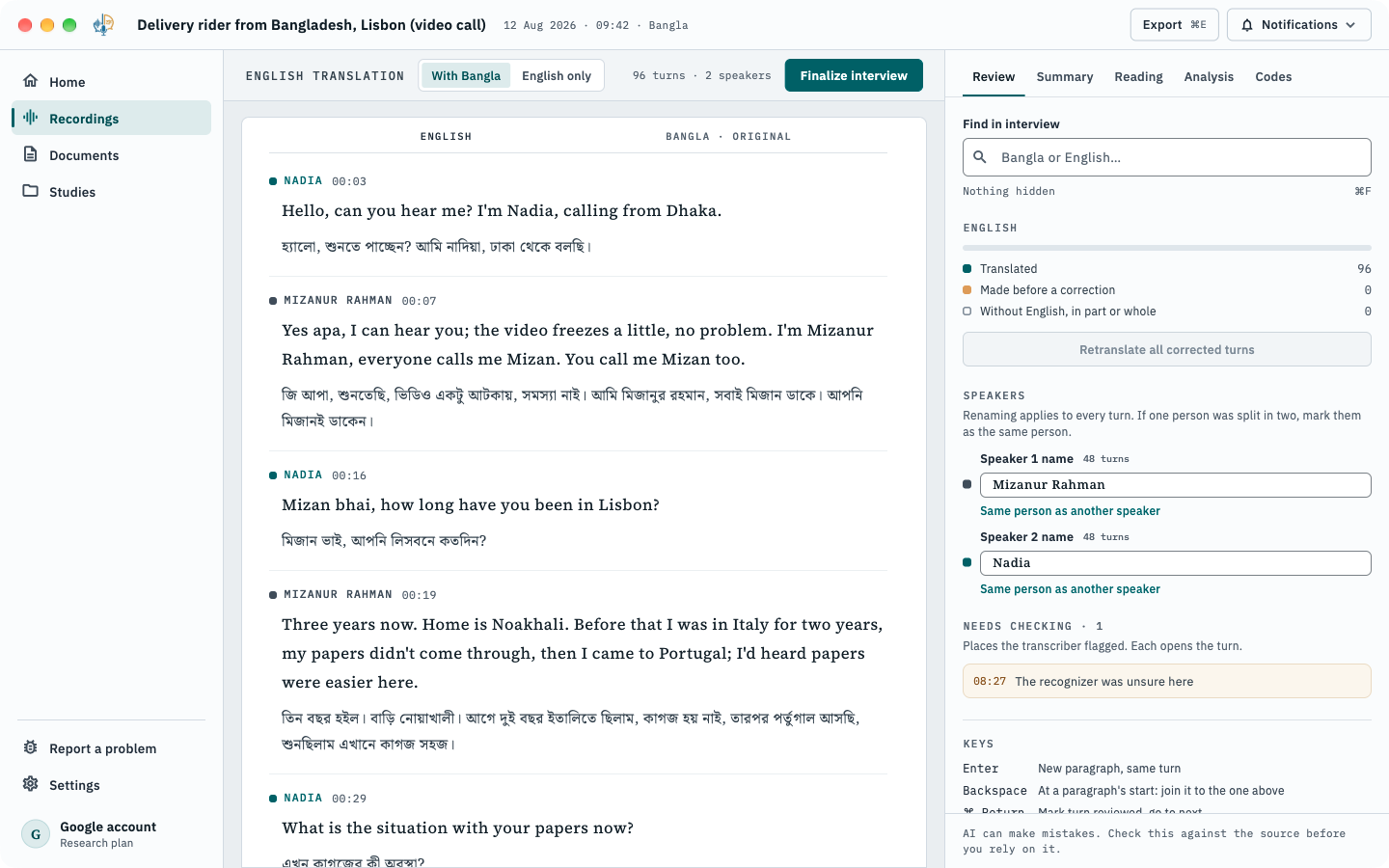
The English sits above the original, line by line. Unsure words are marked, so you know where to listen.
- 04
Export or analyse.
Save a Word document, or group recordings into a study and work through to a findings report.
Transcription & translation
The AI drafts. You confirm every line.
Speech recognition and translation make mistakes, especially on casual conversation. SrutiAI is built around checking: each passage keeps its speaker, time and original beside the English, and every line is editable.
- Finds who is speaking; you name each speaker.
- Translations that keep tone and register, not word for word.
- Right-click a phrase for other ways to say it.
- Fix a term once and it is used everywhere (translation memory, Research).
Privacy
Your interviews never reach our servers.
Audio, transcripts, translations, summaries and analysis are processed on your computer. The few features that go online show what they will send before they send it, and never send audio, transcripts or names. You don’t have to take our word for it: the app logs every request it makes.
How SrutiAI handles your data →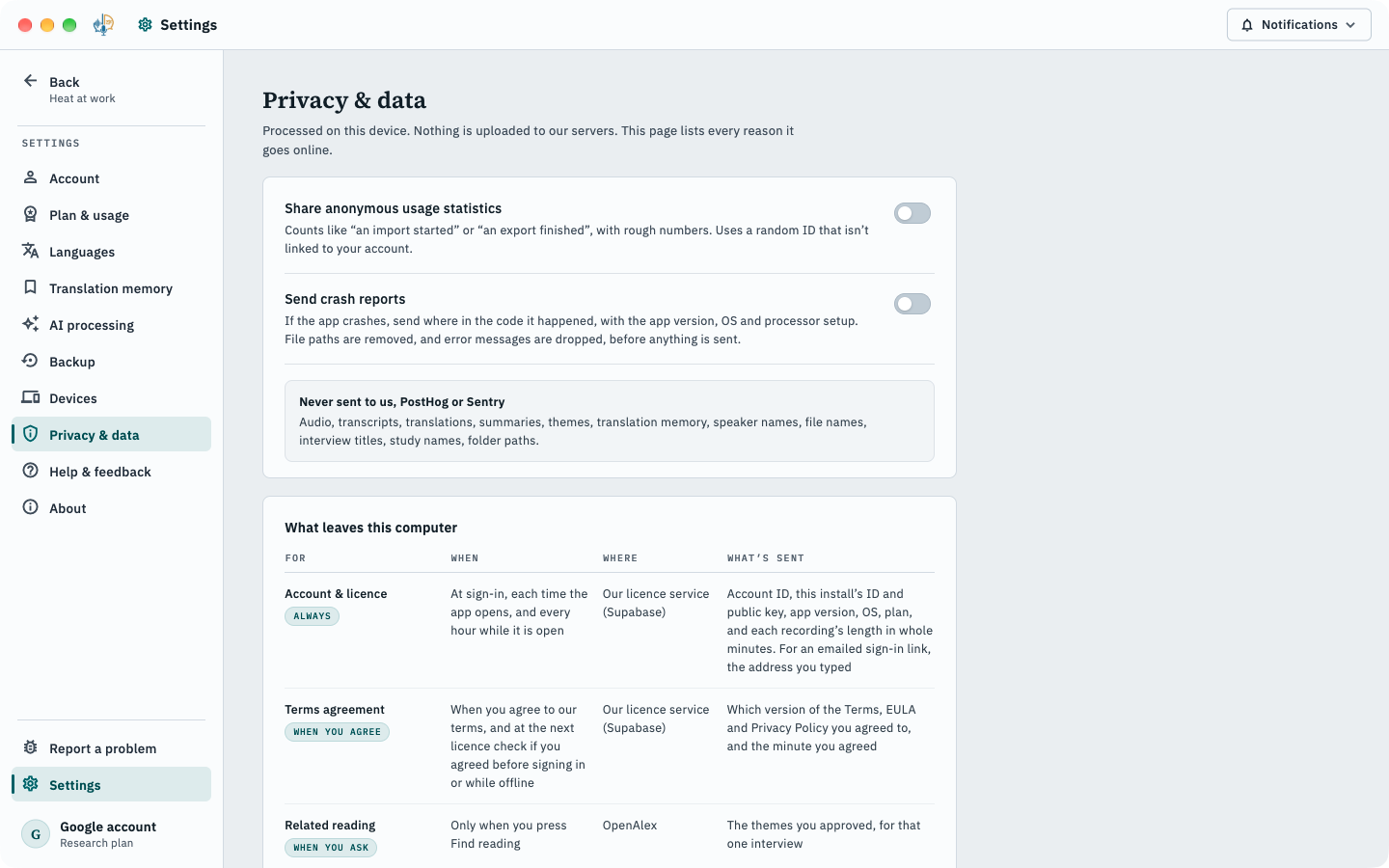
Who it’s for
For people who interview, and can’t upload what they hear.
PhD students.
Transcribe, translate and analyse fieldwork in one tool, within your ethics approval.
Research teams.
Interviews in several languages, one English report, and a project your QDA tool can open.
NGOs and field teams.
Community interviews in local languages, processed on the laptop you already carry.
Journalists.
Work through a source’s interview without sending it to anyone.
Oral-history projects.
Timestamped transcripts and translations you can catalogue and cite.
A note from the maker
I built SrutiAI because the interviews I cared about were in Bangla, and every tool that could transcribe them wanted them uploaded first.
[Founder: two or three sentences in your own words: who you are, why this matters to you.]If SrutiAI can’t run on a computer that meets the requirements and I can’t fix it, you get a full refund.
— Tanwir Adib Chowdhury, maker of SrutiAI
Pricing
Two plans. Your interviews stay on your computer on both.
Local
For transcribing and translating interviews.
CA$140/ year
or CA$14 / month
- 5 hours of audio a day
- Transcription in 8 languages
- Translation into English
- Summaries in the recording’s language and English
- Related reading
- Word export
- One computer at a time, easy to move
Research
Includes guided analysisFor studies and qualitative analysis.
CA$210/ year
or CA$21 / month
- Unlimited audio
- Everything in Local
- Guided analysis, from research questions to a findings report
- Studies and batch import
- Import your own transcripts
- Translation memory
- REFI-QDA export for NVivo, ATLAS.ti and MAXQDA
Start with your next interview.
8-day trial with 180 minutes of audio. Payment happens on the website, never inside the app.