Guided analysis · Research plan
From interviews to findings, one section at a time.
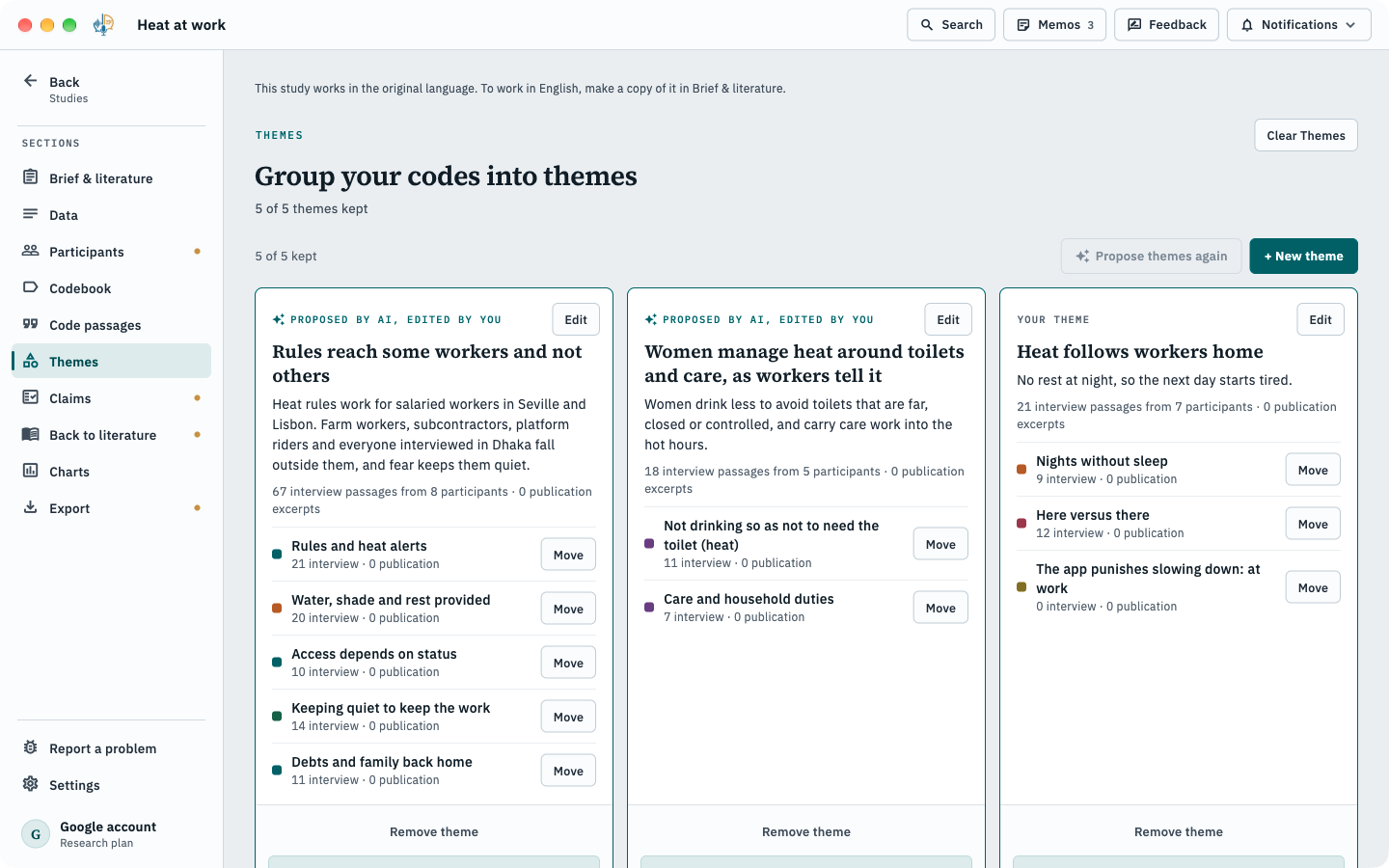
AI drafts codes, themes and claims and shows the passages behind each one. You decide what stays. It all runs on your computer.
The principle
AI suggests. You decide. And we tell you how good it is.
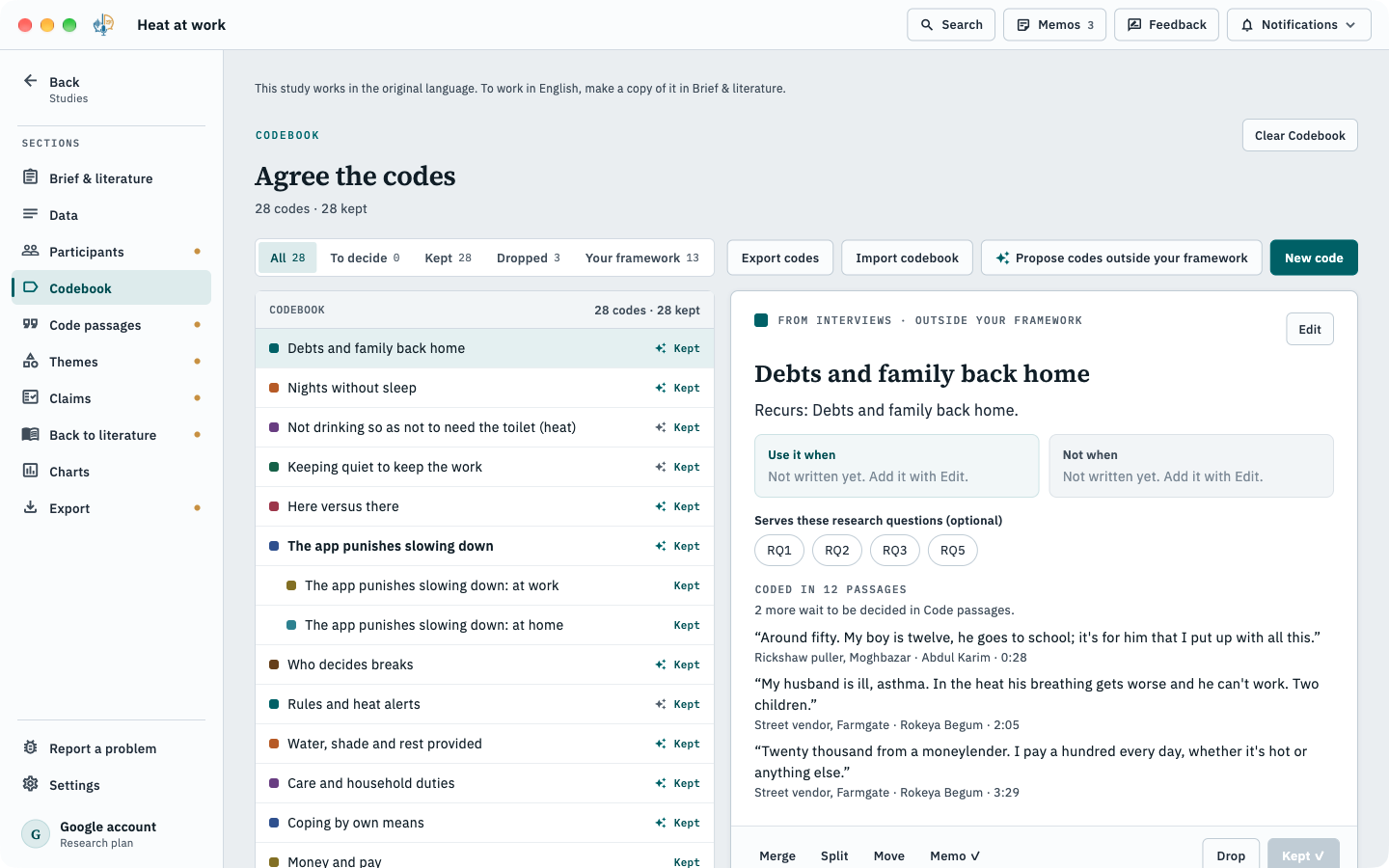
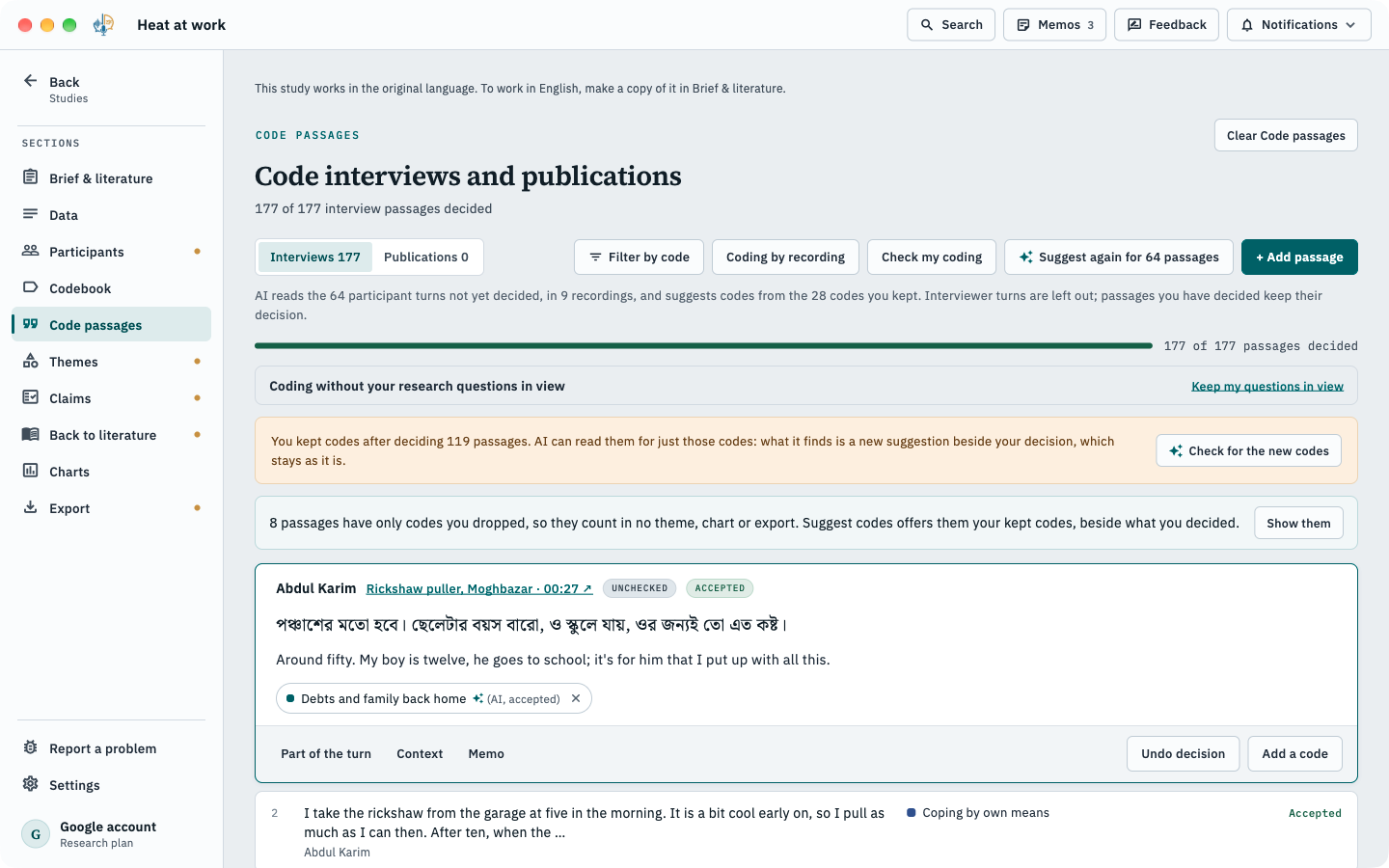
Evidence with every suggestion.
Codes, themes and claims arrive with the passages behind them.
Nothing is final until you say so.
Keep, edit, merge, split or drop anything AI proposes.
Measured, and said plainly.
Where we tested an AI step, the app says how it did. The contradiction finder tells you how many of the pairs it flagged on a test study were real, and how many it missed.
An AI-use statement
for your methods section says which steps used AI.
Choose your approach
Start from the method you’ll write up.
Hybrid thematic
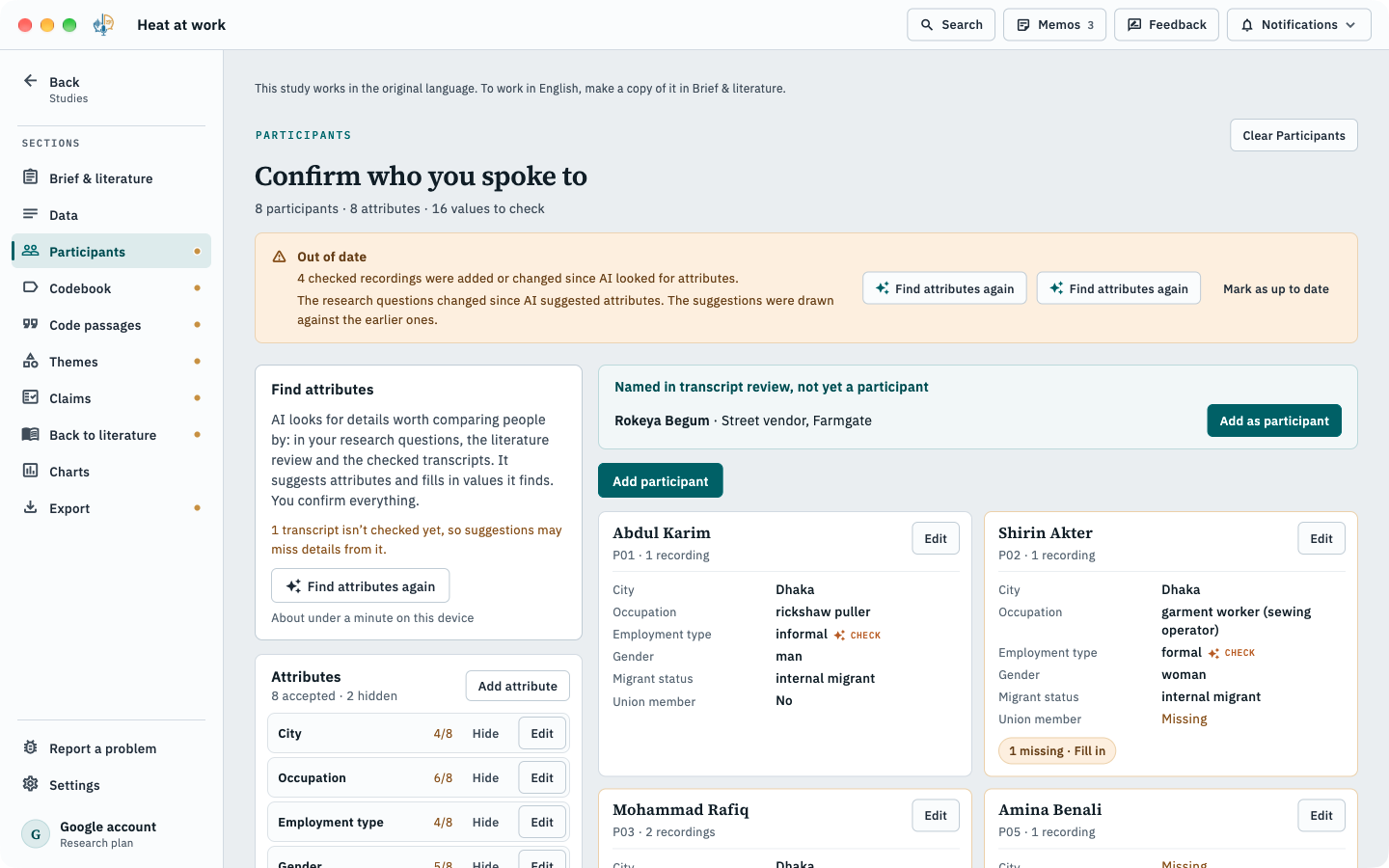
DefaultCodes from your brief and literature, plus codes found in the interviews, then merged.
Inductive
Codes and themes built up from the data, for reflexive thematic analysis.
Deductive
Bring your own framework and apply it as written. Import a codebook as REFI-QDA .qdc. For framework analysis and directed content analysis.
Grounded theory is not supported.
The ten sections
Move between them as your study needs.
Work in the order your study needs. AI suggests; you decide.
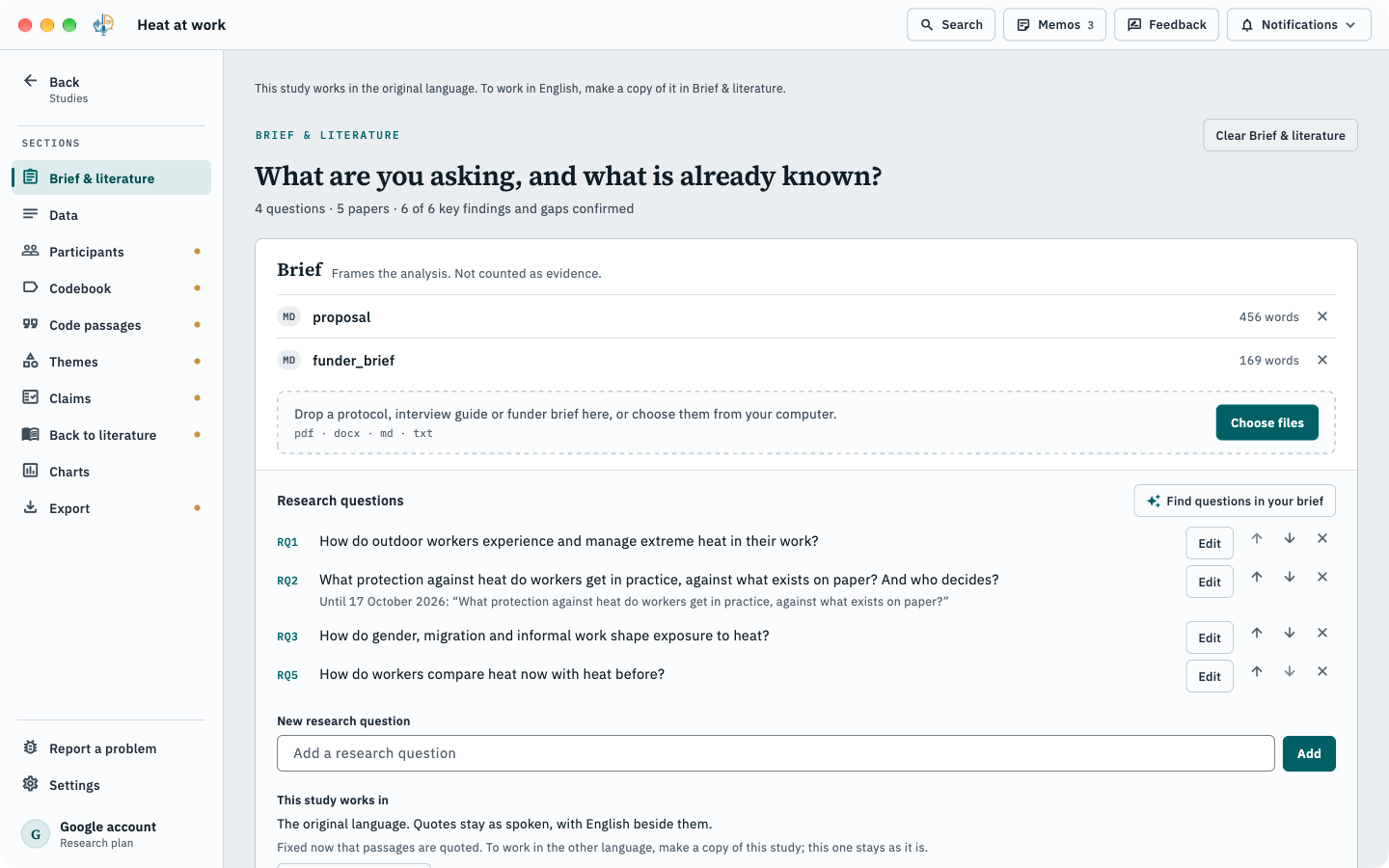
Brief & literature
Add your brief and papers. AI finds your research questions and drafts a literature review, each finding citing its page.
Contradiction finder
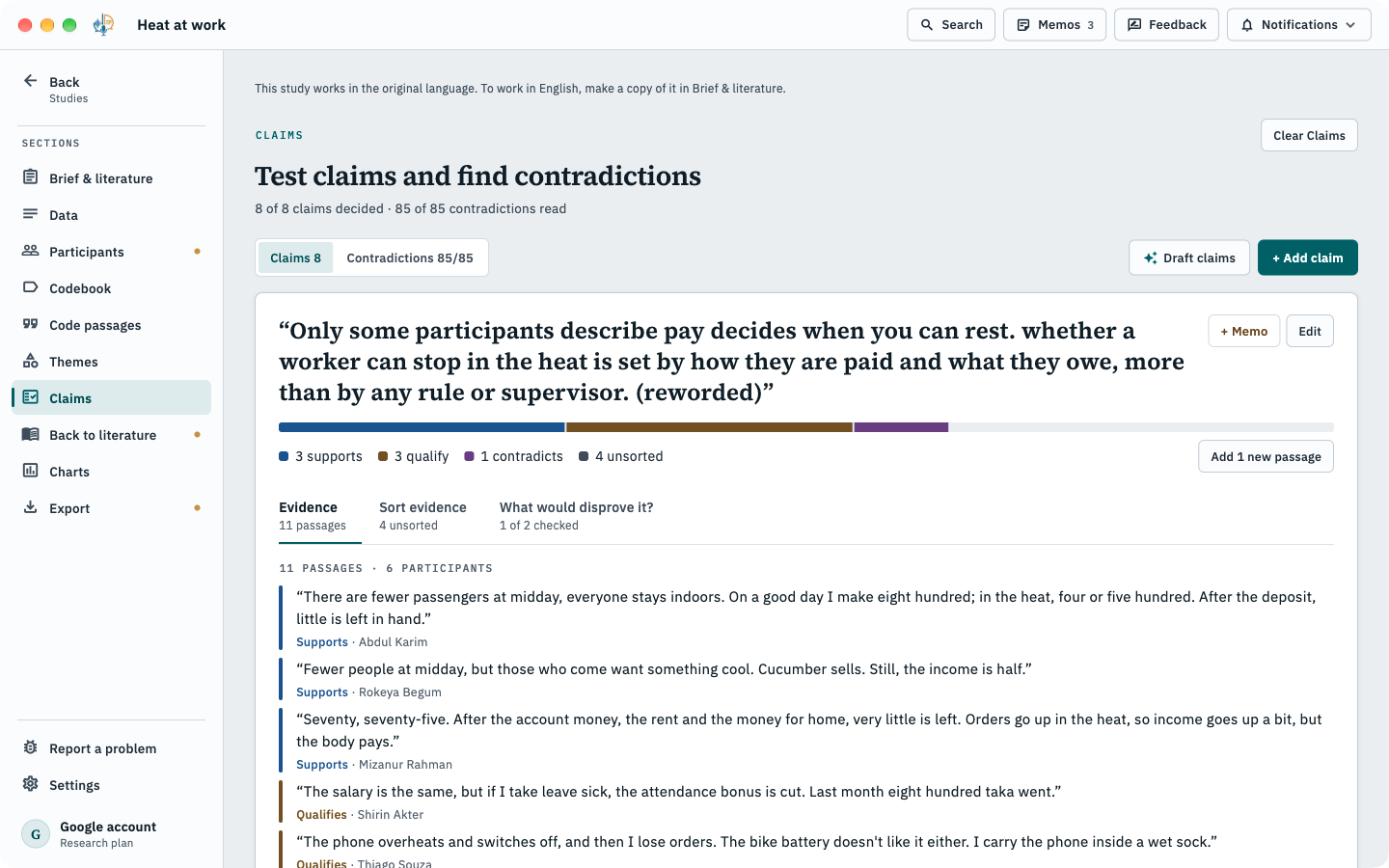
Find where the story doesn’t hold together.
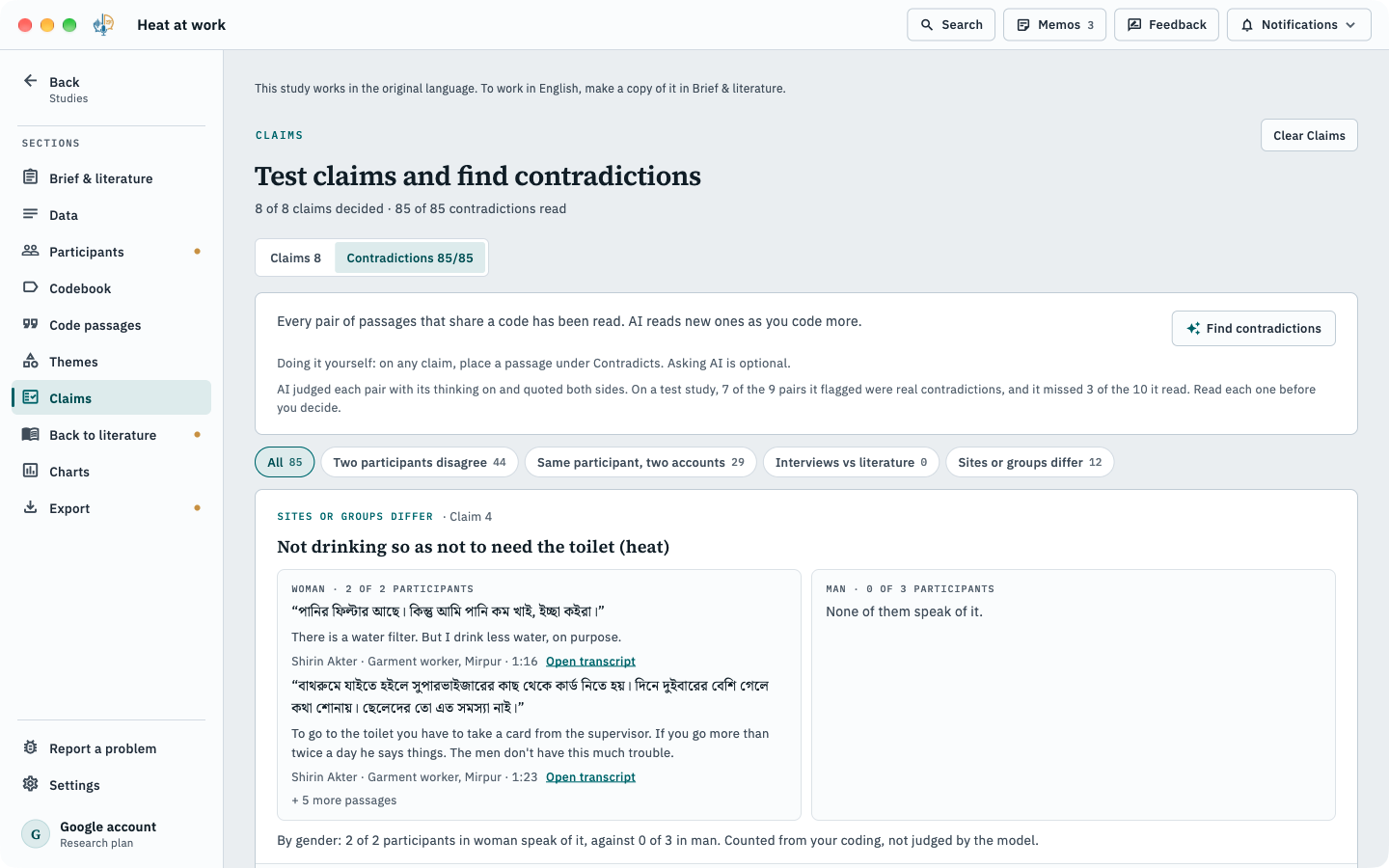
Disagreement is often where the finding is. SrutiAI reads pairs of passages that share a code and shows you possible tensions, each with both quotes. Read each one before you decide.
- Two participants who disagree
- One participant telling two different accounts
- Sites or groups that differ
- Interviews against the literature
Your literature, inside the analysis
The papers you already have, and the ones you’re missing.
A folderon your computer, including ones synced by OneDrive, Google Drive, Dropbox or Box
Zotero,read from the Zotero app on your computer
BibTeX or RISwith PDFs, from Mendeley, EndNote, Paperpile or Google Scholar
A link or DOI:SrutiAI fetches the open copy where there is one
OpenAlex search,optional: you see and edit the exact search terms before anything is sent
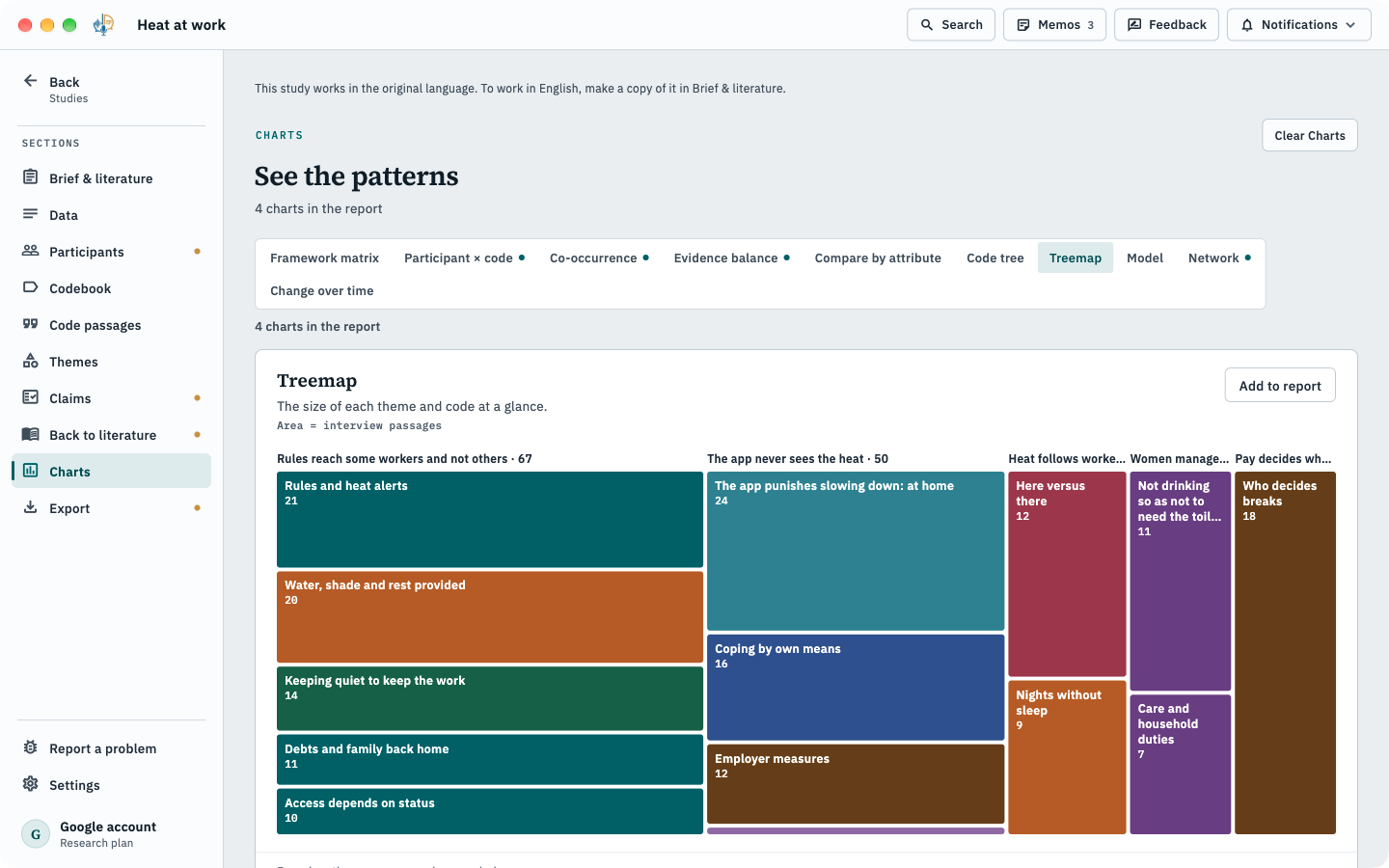
Charts
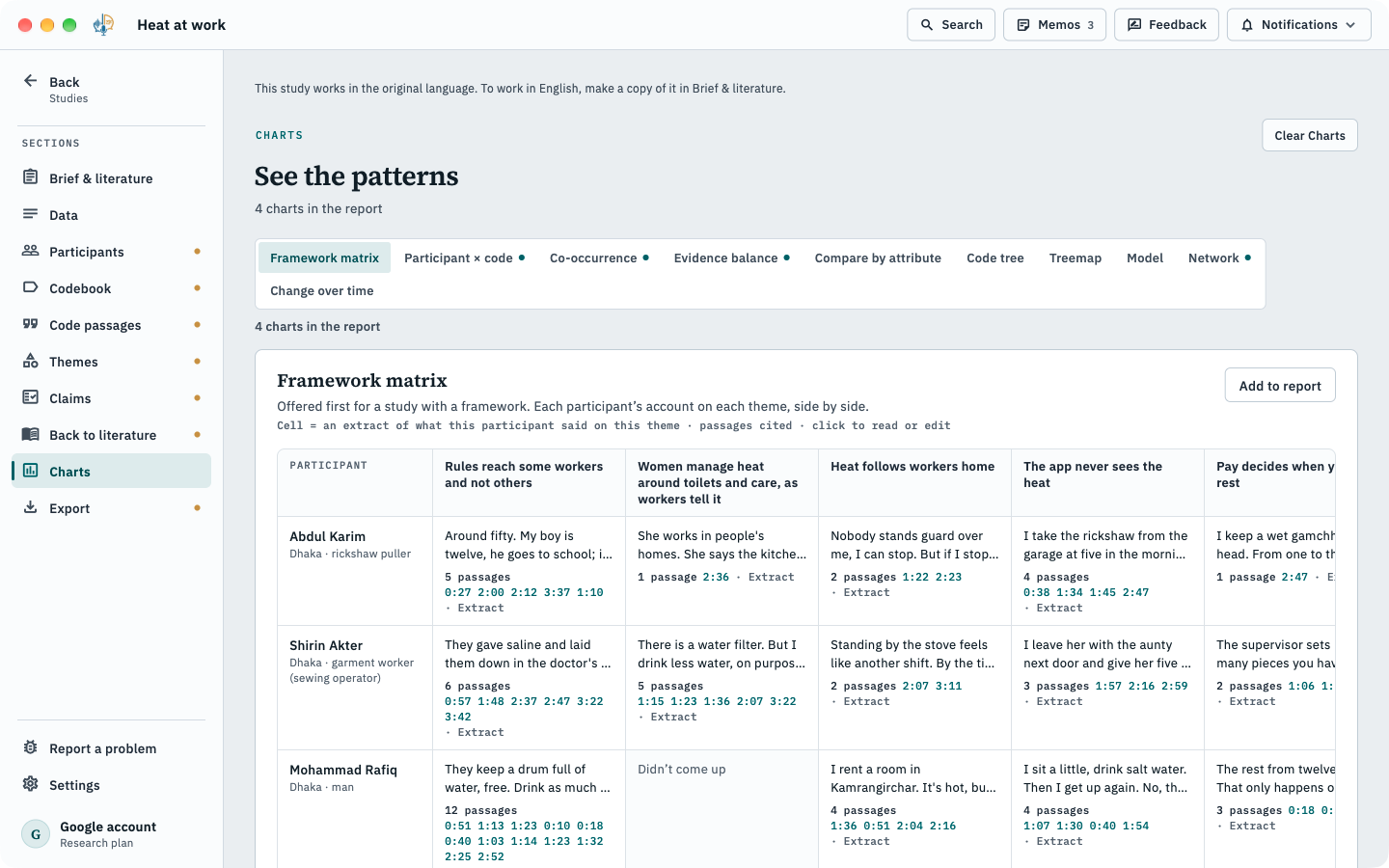
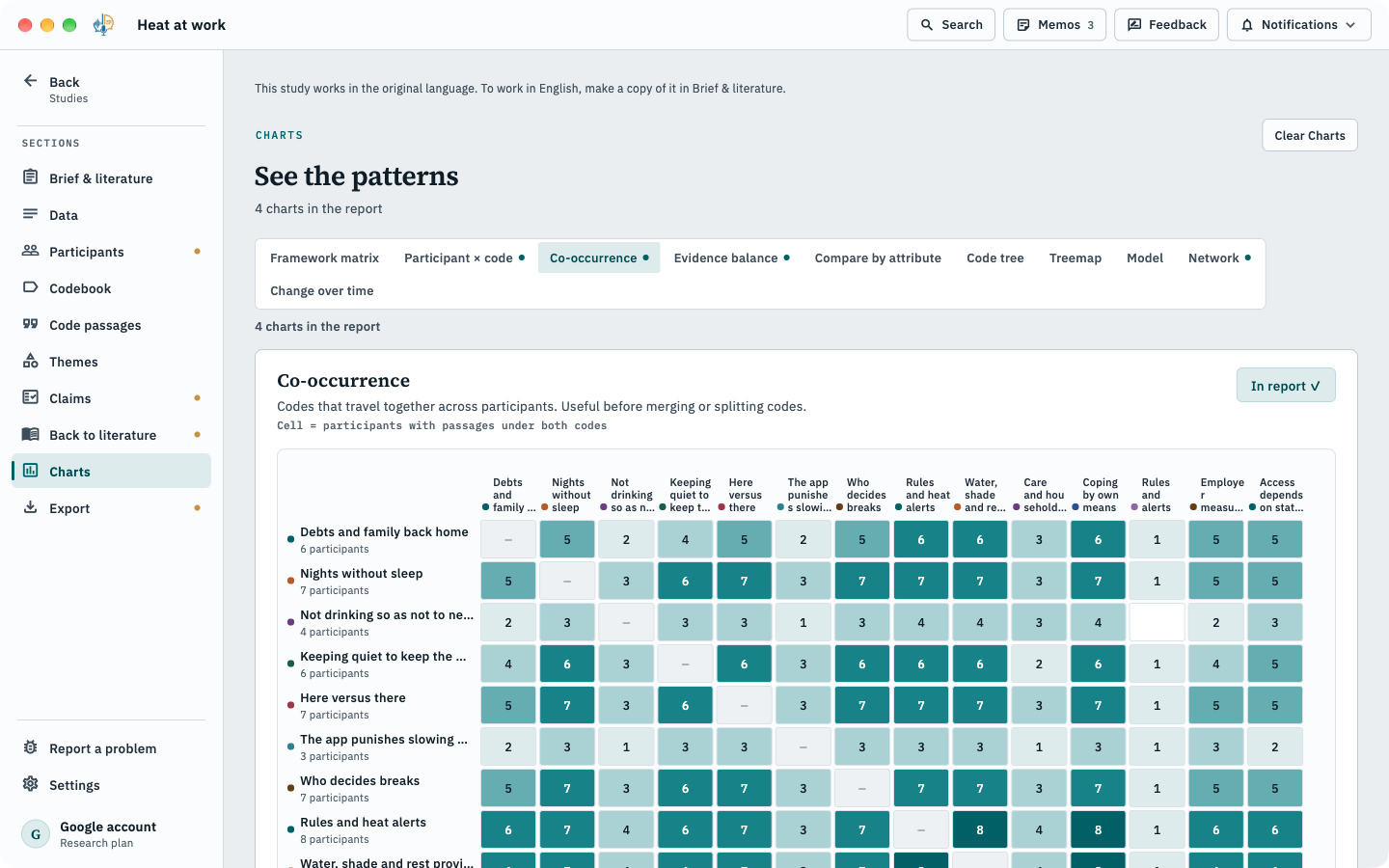
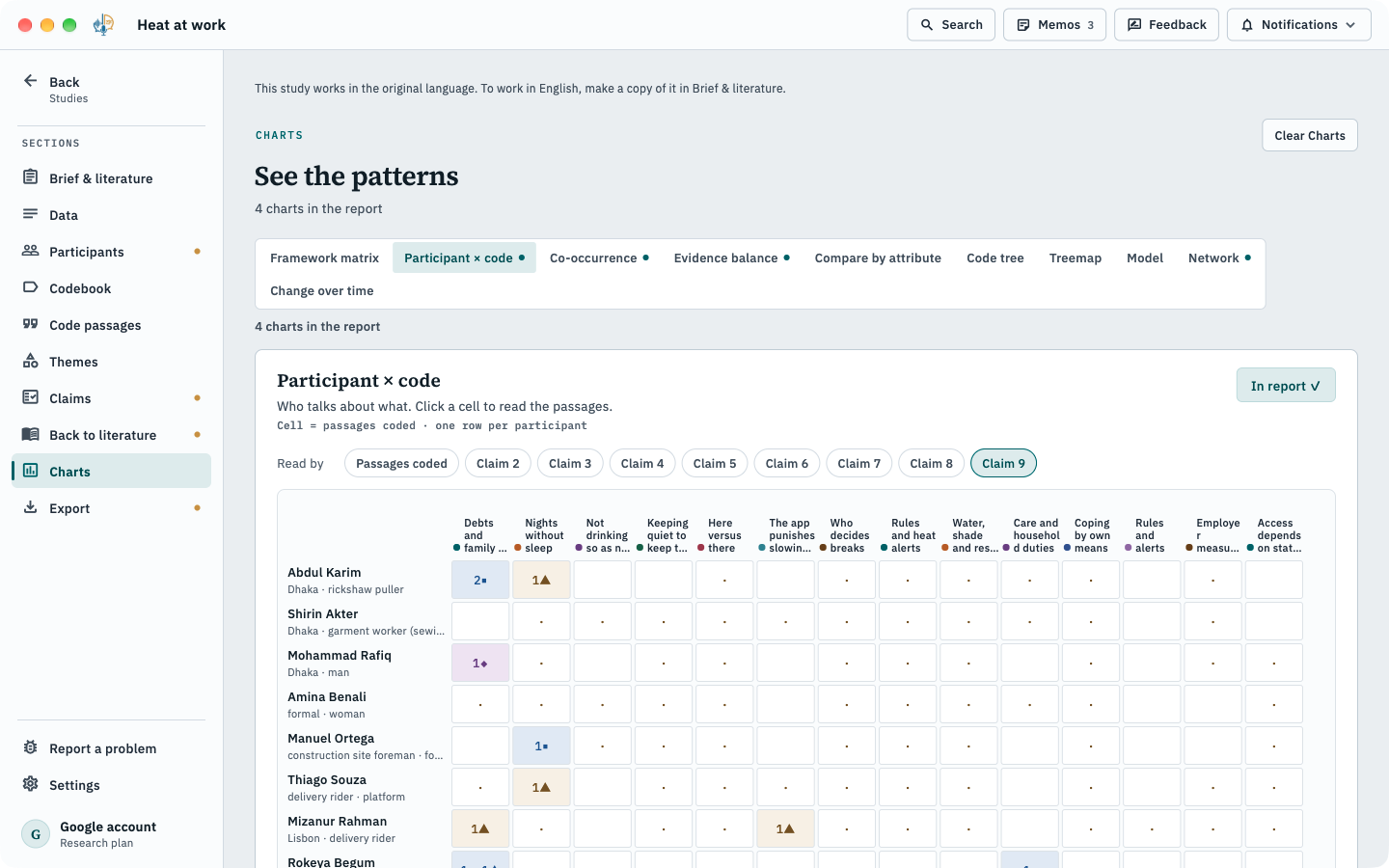
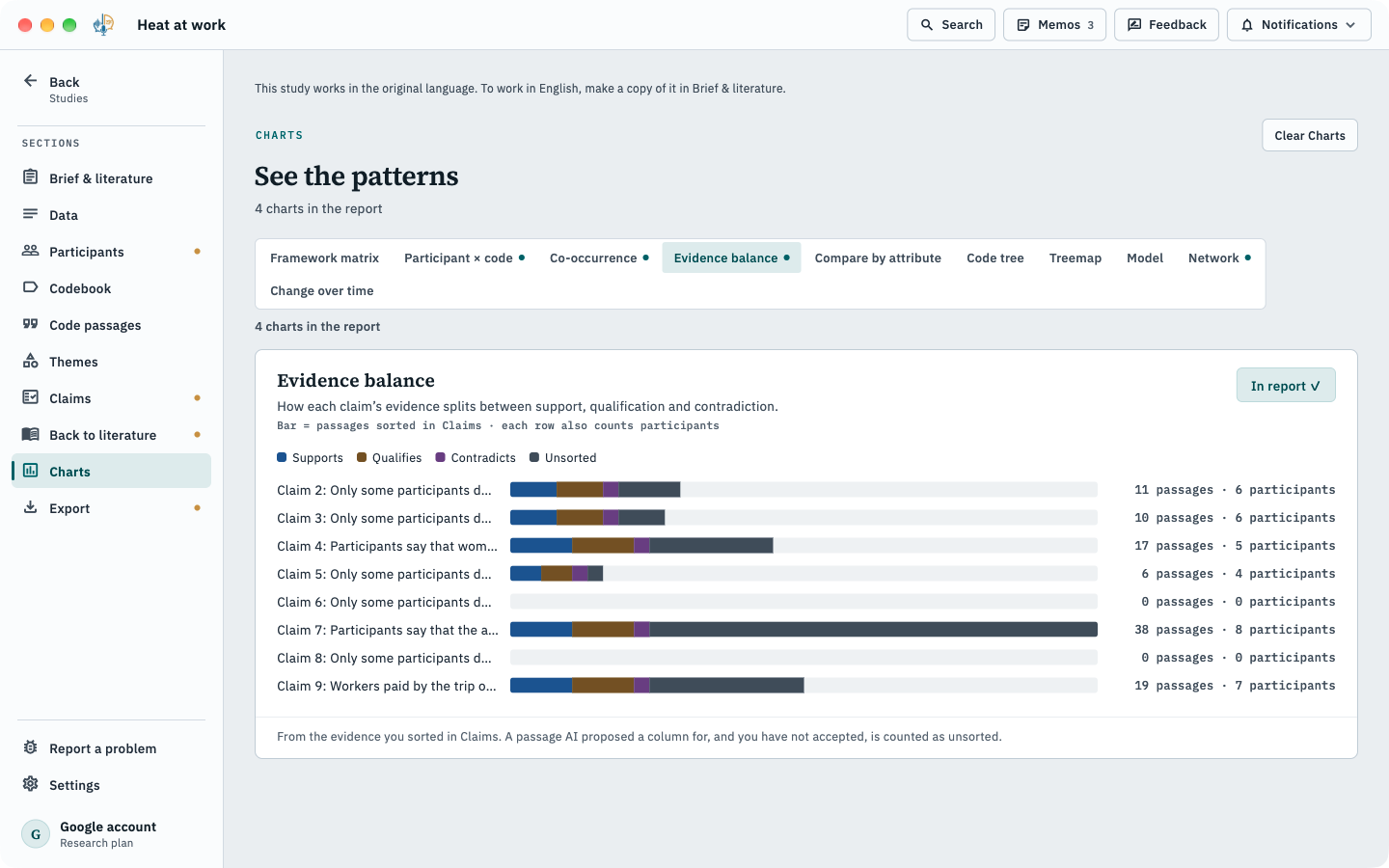
See the pattern, then read the passages.
Works with your QDA tool
Open your project in NVivo, ATLAS.ti or MAXQDA.
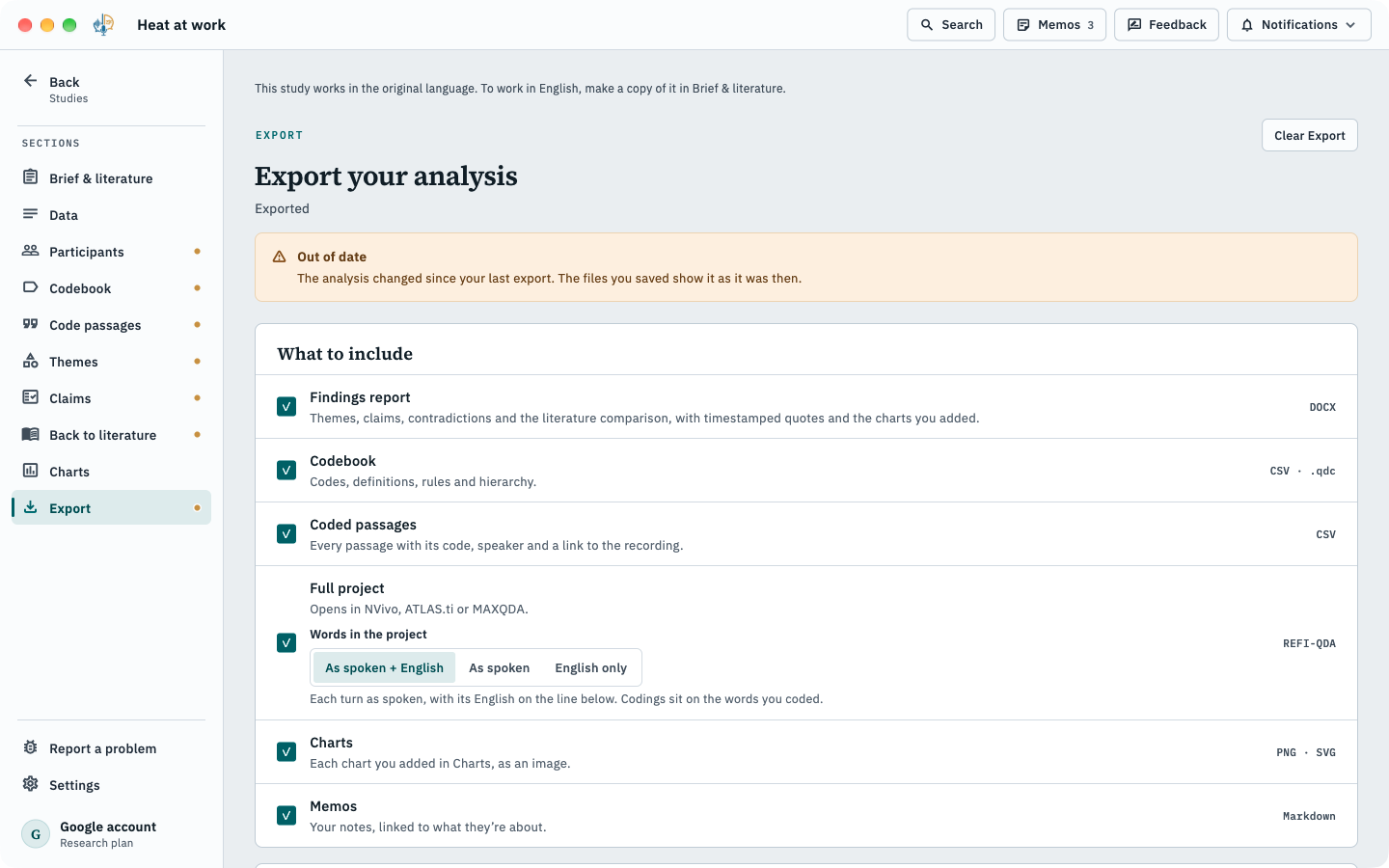
SrutiAI reads and writes the open REFI-QDA standard. Import a codebook as .qdc; export the whole project as .qdpx.
- Findings report
- Word
- Codebook
- CSV · .qdc
- Coded passages
- CSV
- Full project
- REFI-QDA .qdpx
- Charts
- PNG · SVG
- Memos
- Markdown
Around every section
Memos and a research journal,
attached to codes, claims and passages.
Add recordings later
and code them against your current codebook.
Search across the study
with the optional Search model (334 MB).
Sign in with ChatGPT Not available at launch
An option to run analysis on your own ChatGPT account instead of on device. When you turn it on, the passages it analyses are sent to OpenAI under your account. Off unless you choose it.
Analysis FAQ
Common questions
Does the AI do the analysis for me?
No. It drafts codes, themes, claims and possible contradictions with their evidence. You accept, change or reject each one, and the AI-use statement records what it did.
Which methods are supported?
Hybrid thematic, inductive (including reflexive thematic analysis) and deductive approaches such as framework analysis and directed content analysis. Not grounded theory.
Can I move my project to NVivo, ATLAS.ti or MAXQDA?
Yes: export the full project as REFI-QDA .qdpx.
Can I analyse field notes and documents too?
Yes, beside your interviews. Each AI task reads a kind of source only once we have measured it working on that kind; the app says which.
Which plan includes analysis?
Research.
Try guided analysis on your own interviews.
Included in the Research plan. Payment happens on the website, never inside the app.